
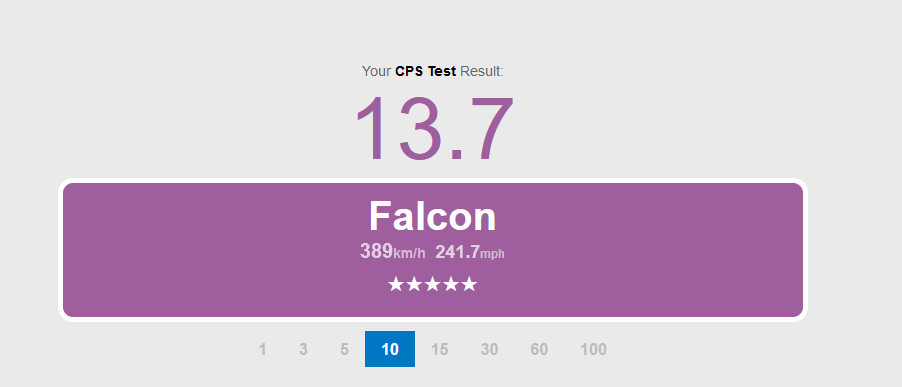
Click Speed Test is a widely used online tool that measures how fast a user can click within a given timeframe. It has evolved from being a simple fun activity to becoming a competitive performance metric for gamers, digital workers, and speed-test enthusiasts. With the rise of CPS competitions and advanced clicking techniques, the concept of what counts as a “high CPS score” has become a major topic of interest across gaming communities and performance testing platforms.
Understanding what defines a high CPS score requires exploring several factors, including the user’s method of clicking, device quality, reaction speed, consistency, and the type of Click Speed Test being used. This article offers a complete and professional breakdown of CPS benchmarks, clicking techniques, and expert-level performance standards to help readers identify what truly qualifies as an exceptional CPS score.
Understanding CPS in a Click Speed Test
What Is CPS and Why It Matters
CPS stands for Clicks Per Second, a measurement used to determine how many times a user can click their mouse in one second. CPS is central to every Click Speed Test because it reflects a combination of reaction time, finger movement efficiency, hand coordination, and overall technique. The higher the CPS, the faster and more efficiently a user can operate during gaming or speed-testing scenarios.
For many users, CPS is more than a number. It represents skill, speed mastery, and performance under pressure. This is especially true for gaming communities, where CPS can have a direct impact on competitive performance. In games like Minecraft PvP, Roblox PvP, and other action-based frameworks, players with a high CPS often have an advantage in combat, building, and rapid actions.
How CPS Is Calculated in a Click Speed Test
The formula for CPS is simple:
Total Clicks ÷ Total Seconds = CPS
For example, if you click 60 times in 10 seconds, your CPS is 6. The simplicity of this formula allows users to quickly evaluate their clicking speed across different durations such as 1-second, 5-second, 10-second, 30-second, and 60-second tests.
While the calculation is simple, achieving a high CPS score requires practice, technique, and sometimes specialized equipment. This is where clicking styles and hardware quality play an important role.
Different Clicking Methods and Their CPS Ranges
Normal Clicking
Normal clicking is the most basic form of clicking used by everyday computer users. It involves a simple up-and-down motion with one finger, typically the index finger.
Average CPS Range: 3–7 CPS
A normal clicking user rarely exceeds 8 CPS because the motion is limited by natural finger speed. For many people, a CPS score within this range is considered standard and expected.
Jitter Clicking
Jitter clicking involves using hand vibrations to create rapid clicks. It requires intense focus and physical control of the arm and wrist muscles.
Average CPS Range: 10–14 CPS
Experienced users may achieve 15–18 CPS, which is considered high for this technique. Jitter clicking can cause fatigue quickly, so maintaining high CPS for longer durations is challenging.
Butterfly Clicking
Butterfly clicking uses two fingers alternating on the mouse button, allowing faster clicking without excessive strain.
Average CPS Range: 15–22 CPS
Advanced users often reach 23–28 CPS, and this is widely accepted as a high CPS score in competitive gaming using this technique.
Drag Clicking
Drag clicking involves sliding the finger across the mouse button, creating friction that registers multiple clicks extremely rapidly.
Average CPS Range: 25–35 CPS
Elite drag clickers can reach 40–60 CPS, and in rare cases even higher. Such scores are almost always considered exceptionally high CPS, but they require specialized gaming mice.
Auto Clicking (Not Legitimate)
Any CPS achieved using an auto-clicker or gaming macros is not considered legitimate for competitive or skill benchmarking.
CPS Range: 50–100+ CPS
These values are not accepted as real skill measurements and are not considered when defining what qualifies as a high CPS.
Factors That Define a High CPS Score
The Clicking Technique Used
A high CPS score is different depending on the clicking method. For example:
- 10 CPS is high for normal clicking
- 18 CPS is high for jitter clicking
- 25 CPS is high for butterfly clicking
- 40 CPS is high for drag clicking
Therefore, the technique determines the benchmark.
The Duration of the Click Speed Test
Shorter tests often produce higher CPS because the user maintains maximum speed for a brief period. In contrast, longer tests require endurance.
Common Duration Benchmarks:
- 1-Second Test: High CPS = 20+
- 5-Second Test: High CPS = 15+
- 10-Second Test: High CPS = 12+
- 30-Second Test: High CPS = 10+
- 60-Second Test: High CPS = 8+
Hardware and Mouse Quality
A gaming-grade mouse with mechanical switches, low latency, and double-click potential significantly boosts CPS. Specialized models designed for drag clicking can reach extraordinary results.
User Experience and Training
With regular practice, users can increase their CPS. A beginner who starts with 6 CPS may reach 10 CPS in a few weeks through consistent training.
What Is Considered a High CPS Score in a Click Speed Test?
High CPS Benchmarks by Category
To determine what counts as a high CPS score, the following benchmarks are widely recognized across speed-testing and gaming platforms:
Normal Clicking High CPS
7–10 CPS
Anything above 8 CPS is already strong for normal clicking, and 10 CPS is widely considered a high score.
Jitter Clicking High CPS
14–18 CPS
Scores above 15 CPS are considered high, and reaching 18 CPS places the user in an advanced category.
Butterfly Clicking High CPS
20–28 CPS
Butterfly techniques allow rapid alternation using two fingers, so 22+ CPS is considered high and competitive. Users achieving 28 CPS are regarded as elite clickers.
Drag Clicking High CPS
40–60 CPS
This is the highest category of legitimate CPS performance. Drag clicking enables extreme speed, and reaching 50+ CPS is considered exceptional, even among professionals.
Gaming CPS High Benchmark (Esports and PvP)
12–20 CPS
Most competitive Minecraft PvP players aim for a CPS between 12 and 18, depending on their playstyle. Anything above this range is categorized as high.
Why High CPS Matters in Competitive Gaming
Stronger Combat Techniques
In games such as Minecraft PvP, players with high CPS often:
- Hit opponents more frequently
- Win close-combat battles
- Perform defensive maneuvers faster
- Bridge or block-clutch more efficiently
Reduced Reaction Time
A high CPS usually indicates faster reflexes, which translate into superior defensive and offensive gameplay.
More Precise Performance
Higher CPS helps with tasks such as:
- Rapid building
- Quick inventory adjustments
- Fast editing in structure-based games
Increased Confidence in Matches
Players with high CPS often have better control and confidence, especially in high-pressure matches where timing is crucial.
How Much CPS Is Too High?
While high CPS can be beneficial, extremely high results (such as 80–100 CPS) often indicate:
- Drag clicking on specialized hardware
- Double-click issues
- Auto-clicking or macro usage
Platforms regularly detect and flag abnormally high CPS values. Gaming servers often cap CPS limits to maintain fairness.
A legitimate high CPS should fall within:
10–28 CPS for most techniques
and
30–60 CPS for drag clicking
Anything beyond this requires verification.
Training Tips to Increase CPS
Strengthening Finger Muscles
Light finger-strength exercises can significantly impact clicking speed over time.
Practicing Specific Clicking Methods
Users can experiment with:
- Normal clicking for beginners
- Jitter clicking for mid-speed players
- Butterfly clicking for a big jump in CPS
- Drag clicking for advanced performance
Using a High-Quality Mouse
A mouse with:
- Mechanical switches
- Low latency
- Matte finish button surface
- Durable build
provides an ideal clicking environment.
Consistency and Daily Practice
Short daily sessions are more effective than long, irregular attempts.
Maintaining Hand Health
Avoiding strain and taking breaks ensures long-term performance.
What High CPS Says About a User’s Skill Level
A high CPS score indicates proficiency in multiple areas:
- Superior hand coordination
- Strong reaction timing
- Efficient clicking technique
- Good mouse control
- High concentration levels
These traits are valuable not only in gaming but also in digital tasks requiring precision.
Is CPS the Only Measure of Skill?
While CPS is important, it is not the only performance metric. Other skill indicators include:
- Aim accuracy
- Game strategy
- Movement efficiency
- Decision-making speed
- Overall gameplay mechanics
A balanced combination of CPS and strategic skill creates a complete competitive player.
Conclusion
Click Speed Test tools have become essential for evaluating clicking performance and understanding the limits of human reaction speed. A high CPS score depends heavily on clicking techniques, device quality, practice level, and test duration. For normal clicking, a high CPS generally starts at 8–10. For jitter clicking, 14–18 is considered strong. Butterfly clicking typically reaches high benchmarks around 20–28, while drag clicking can achieve extreme levels of 40–60 CPS.